KCAL FM Memories: The Rock Spectrum Era, the Voices, and the Magic of Growing Up in Southern California

Some sounds stay with you forever. A guitar riff drifting out of a bedroom radio. A dramatic voiceover announcing a late‑night movie. The warm hum of FM static on a summer night. For a lot of us who grew up in Southern California, KCAL FM wasn’t just a station — it was part of the atmosphere.

It had a personality. A swagger. A cinematic flair that made everyday life feel a little bigger.

And if you were anywhere near the Inland Empire during the 70s or 80s, you knew exactly what I’m talking about.

🎸 The Rock Spectrum Era — KCAL at Full Power

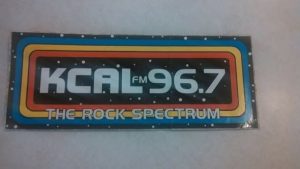
There was something special about KCAL during its “Rock Spectrum” years. The branding felt bold and confident, like the station was announcing itself with a spotlight and a fog machine. Everything sounded larger than life — the imaging, the promos, even the transitions between songs.

It wasn’t just rock music. It was a whole vibe.

The station had this way of making you feel like you were part of something. Even now, decades later, people still look back on that era with a kind of fondness that only comes from growing up with a station that felt like a friend.

🎙️ The Voices Behind the Station

Every great station has its characters, and KCAL had some unforgettable ones. The DJs brought humor, attitude, and a sense of connection that made the station feel alive. They were the voices you heard before school, during long drives, or late at night when the world felt quiet.

They didn’t just play music — they shaped the mood of Southern California.

Those personalities are a huge part of why KCAL still pops up in conversations today. People remember the voices as much as the songs.

📼 A Sound All Its Own

KCAL didn’t sound like anyone else. Not KLOS. Not KMET. Not KNAC.

It had its own flavor — dramatic, punchy, and unmistakably KCAL. The promos were intense, almost theatrical. The imaging had weight to it. Even the logo and graphics felt like they belonged to a station that wanted to stand out.

If you were a kid or a teenager back then, KCAL felt like the soundtrack to your life. It was loud, proud, and unapologetically Southern California.

🔄 When the Station Changed

There’s a moment longtime listeners remember: when KCAL shifted toward automation. Suddenly the familiar voices weren’t there as often, and the station felt different. Not worse — just changed.

It marked the end of a certain kind of radio magic. The kind that came from real people behind the mic.

That transition is one of the reasons nostalgia for KCAL is still so strong. It represents a time when radio felt personal.

📻 How KCAL Fit Into the SoCal Radio Landscape

Southern California had no shortage of iconic stations, but KCAL carved out its own lane. Where some stations felt polished or rebellious, KCAL felt bold and cinematic. It had a personality that didn’t try to imitate anyone else.

It was the kind of station you remembered — even if you moved away.

🧒 My KCAL Story

I remember sitting in my room with the radio on, hearing promos that sounded like they were announcing a blockbuster movie. I remember the DJs who felt like familiar voices in the background of everyday life. I remember the feeling that KCAL was part of growing up in Southern California.

Those memories are why I made the KCAL video — to capture that feeling and share it with anyone who lived through it… or wishes they had.

🕰️ Why KCAL Still Matters

Radio has changed. Everything has changed. But KCAL still lives in the memories of the people who grew up with it. It wasn’t just a station — it was part of the culture, part of the rhythm of Southern California.

And thanks to nostalgia, it still has a pulse.

▶️ Watch the Full KCAL Memories Video

If you want to relive the KCAL FM era — the promos, the voices, the stories, the nostalgia — you can watch my full KCAL deep‑dive.

Or if there is an issue, Search YouTube for: “KCAL the rock spectrum”

💬 Share Your KCAL Memories

Did you listen to KCAL FM? Do you remember The Rock Spectrum? Did a KCAL DJ or promo stick with you?

Share your KCAL stories — I’d love to hear them.

Notice: This page may contain affiliate links. If you choose to purchase after clicking a link, I  may receive a commission at no extra cost to you.

© Copyright 2022-2026 RoneyZone Media · All Rights Reserved

Tatooine TV – Episode 1

Back to the very beginning now, with the first ever deluxe ultra violet level secret special Tatooine TV episode one!

Twileks Gone Wild Tatooine TV image

Episode 1 – Twi leks Gone Wild! and more

  1. ‘Twi’leks Gone Wild‘
    Written, Produced, Directed and Mixed by Jeff Roney
    Vocal Performance: Announcer- Shawn Crosby
  2. ‘Dagobah Spa‘
    Vocals by Jeff Roney
  3. ‘Ewok Elvis‘
    Written, Produced, Directed and Mixed by Jeff Roney
    Vocal Performance: Singer- Ewok Elvis (Possibly was Jeff Roney)

Listen now .. Episode 1.

New Comedy Ebook Release!

New Comedy Ebook Release!

After one married guy’s long-suffering wife told him that he wasn’t welcome to join the neighborhood block party (Serving the cheesy, bacon potatoes that he loves, btw) because of his crazy antics (like renting a BigFoot costume and walking around at 2 AM to be the star on the downtown webcam, for example), he apologized to her. She insisted that he list out all his apologies to make amends to all those that had been privy to all his looney shenanigans.

Please consider purchasing my first comedy ebook on Amazon by using this link > http://roneyzone.com/Imsorryebook

Thank you

© Copyright 2022-2023 RoneyZone Media · All Rights Reserved

How to get FREE LG TV Channels

Is anything free anymore? Some might say no, but we say YES. We will show you how to get free LG TV Channels.

LG TV

Free LG TV Channels

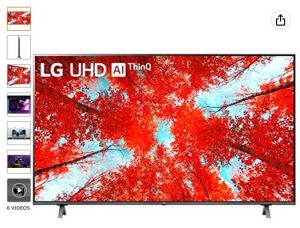
LG 65-Inch Class UQ9000 Series Alexa Built-in 4K Smart TV (3840 x 2160),Bluetooth, Wi-Fi, USB, Ethernet, HDMI 60Hz Refresh Rate, AI-Powered 4K, Cloud Gaming (65UQ9000PUD, 2022)

Note: The LG Channels is only available on LG Smart TVs with webOS 3.5, webOS 4.0, webOS 4.5. Internet connection required.

Free LG TV Channels are HERE

The LG Channels app

More than likely, you will already have the LG Channels app available on the bottom row of apps your Home screen. It will look like this:

free lg tv channels

If you don’t see it on the bottom row of apps on your Home screen, go into the LG app store and download it.

How to Find the Missing LG Channels App

Click on the Gear icon on the LG TV remote

free lg tv channels

You will see icons appear on the left side of the screen, then Click on the three dots – All Settings

Click on the General icon (wrench)

Click on Location

Click on LG Services Country – Choose US or UK

Return to the LG app store and the LG Channels should now be available.

What you get once the LG Channels App is installed

What’s Available in the LG Channels App

Once you open the LG Channels App, you will see tabs at the top:

Home – This gives you an overview of what is available in the various tabs, without have to go into each one.

On Demand – A group of Movies and content created specifically for LG is presented. Note: The offerings will no doubt rotate to bring in fresh content from time to time.

NCAA – If you are a fan of NCAA sports, this is for you. During the season, you will find live and on-demand games, highlights, etc.

Kids & Family – If you and the kiddos need something fun to watch, this is the place for you.

Live – The section will feature items that are airing live in the group of LG Channels.

Want to take control of your Out of Control Cable Bill? We give you some Proven Ways to negotiate down your Cable Bill. Click Here and check them out.

What’s Available in the TV Channel Guide

Once the LG Channels App is installed, the channels in it will pull to the LG Channel Guide to be accessed there. To access the guide and/or channel list, click on the Guide button on the LG Remote.

free lg tv channels

You will see the Channels/Guide screen appear.

Channels overview

There is a wide selection of over 100+ channels spanning 12 genres! The channels provided by the LG Channels app will appear in orange, beginning with ‘IP’. Note: The actual channel number may vary from time to time as new channels are added or removed.

The Channel screen will list out the various channels listed out, and the Guide screen will show the layout of the channels and shows in a timeline.

Different Channel Genres:

All – This will obviously include all channels provided.

Comedy – This will filter down to the channels that feature comedy programming.

Music – This will filter down to the channels that feature music programming.

Drama – This will filter down to the channels that feature drama programming.

Sports – This will filter down to the channels that feature sports programming.

Movies – This will filter down to the channels that feature movie programming.

Kids – This will filter down to the channels that feature kids and family programming.

RealityTV – This will filter down to the channels that feature kids and family programming.

News – This will filter down to the channels that feature news programming.

Talks Shows – This will filter down to the channels that feature talk show programming.

Adult – This will filter down to the channels that feature adult programming. Note: None shown at the time of creating the blog post.

Etc – This will filter down to the channels that feature programming that wouldn’t fit into other genres.

Note: Some channels are provided by the LG Channel app, but other channels shown will require the downloading of other free apps like Pluto TV, Xumo, etc. Also, if you install an Over The Air Antenna, those channels will be included in the Channel list and Guide screen.

Want to take control of your Out of Control Cable Bill? We give you some Proven Ways to negotiate down your Cable Bill. Click Here and check them out.

Notice: This page contains affiliate links. If you choose to purchase after clicking a link, I  may receive a commission at no extra cost to you.

© Copyright 2022-2023 Streaming Society – RoneyZone Media · All Rights Reserved
Disclaimer – Streaming or Downloading Copyright Content is Unlawful

RoneyZone.com does not in any way condone, promote or encourage any illegal use of Kodi, Fire Stick or our guides. Users are responsible for their actions. Read our full disclaimer.

Whats in a Cable Bill?

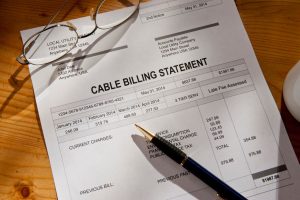
Have you ever wondered whats in a Cable Bill? We all know its expensive, but why? We decided to take a dive into the different parts of a cable bill, so come along – if you dare.

Whats in a Cable Bill

Whats in a Cable Bill?

The Cable Box

Besides the actual cable, the mainstay of the Cable TV setup includes the cable box, this includes the magical, mystical inter-workings that convert the signal from the cable into the channels, movies and shows you paid to watch.

Normally, you rent the cable box and accompanying equipment, but is it worth the cost?

In some cases, you can find and use a self-purchased cable box and the magical card that is also needed. That might be something to consider – Google is a wonderful thing.

The DVR

When DVR was introduced in 1999, it was a game changer. I seem to recall that initially there was no limit to how much you could record, but now cable companies have set recording limits in the pricing.

The Local Channels

Cable Users, meet the Broadcast Fee

Let me give you a little (big actually) secret. The Broadcast Fee (allowed by the Cable Television Consumer Protection and Competition Act of 1992) is really paying for those local channels that you could receive with an Over The Air antenna. Yup, kinda sticks you have to pay for that, right?

Some might call this basic cable, but normally it’s not offered to new cable customers, because the newbies want it all (Premium channels, Sports, etc). However, you can almost set your clock by it – month after month, year after year, initial specials run out and the REAL charges kick in, as well as the small price increases that creep in and BAM – you are faced with a HUGE cable bill.

Tired of Paying for Local Channels On Your Cable Bill? We give you some Awesome Ways to watch Local Channels without Cable. Click Here and check them out.

The Premium Movie Channels

Premium channels are one of the shiny keys to the growing cable bill prices. Whether it’s HBO, Showtime, Cinemax or others, it’s alluring to order these premium channels to get the best new shows and movies. The big issue is that they rotate these offerings, so one day your favorite movie is there and a few months down the line – its gone.

The cable companies hope that you put your cable bill paying on autopilot and never consider removing the premium channel tier, because you don’t watch it much anymore.

Why is the Cable Bill so Expensive?

If you have been a loyal, Cable TV customer for many years – I have one main reason you are paying more – the Cord Cutter exodus.

Statistics show that Cable Providers have lost 25 million subscribers since 2012. The truth is, the cord cutting group is growing.

Just think about it, if you had less people paying for something and you want to make as much (or more, let’s be honest) as you were making is to raise prices to make up for it. That means the stalwart, loyal subscribers are saddled with the extra money to make up for the Cord Cutters exodus.

Whats in a Cable Bill

Whats in a Cable Bill – Fees, Fees, Everywhere

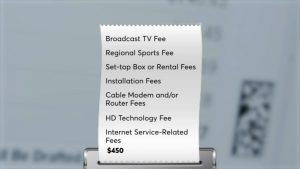
We mentioned earlier about the Broadcast Fees (a fee you must pay for local TV stations you could get with an Over The Air antenna), but let’s discuss the Regional Sports Fee (Sports Surcharge).

Regional Sports Fee

The Regional Sports Fee isn’t a governmental mandated fee and will increase from time to time. This fee originates by Regional Sports Networks (RSN) and is passed on to you from the Cable TV companies because they carry the RSN channels.

Get this, you – as a Cable TV customer – pay this whether you watch sports or not.

HD Fees

I would think that in 2023, that the signal from the Cable TV provider would send the best signal and let the TV show that great signal, but no. You are charged an extra fee for a better picture. Wow.

Administration/Convenience Fees

Have you ever seen similar to an Administration/Convenience Fee on your Cable TV Bill? Do you know what its for? No one really does – except for the Cable TV providers. As far as we can tell, it’s for miscellaneous (and often – unspecified) fees. Wow – again.

So, what are other weird fees that you find on your Cable TV Bill? Leave us a comment and let us know.

Want to take control of your Out of Control Cable Bill? We give you some Proven Ways to negotiate down your Cable Bill. Click Here and check them out.

Notice: This page contains affiliate links. If you choose to purchase after clicking a link, I  may receive a commission at no extra cost to you.

© Copyright 2022-2023 Streaming Society – RoneyZone Media · All Rights Reserved

Disclaimer – Streaming or Downloading Copyright Content is Unlawful

RoneyZone.com does not in any way condone, promote or encourage any illegal use of Kodi, Fire Stick or our guides. Users are responsible for their actions. Read our full disclaimer.

Proven Cable Bill Negotiation Secrets

Love watching cable TV, but are your cable bills out of control? We present proven cable bill negotiation secrets. Keep reading and your wallet will thank you.

Cable Bill Negotiation Secrets

Be Aware

Take a copy of your cable bill and become familiar with it. Find out what level of service you are paying for: basic cable, sports, premium services, etc.

Maybe there was time that you got a great deal for a number of cable channels with great movies in High Resolution, but now you may realize that you just don’t have time to watch them all.

With that in mind, it’s time to gather information to face the cable company, and negotiate the stack of money from them and put it back in your pocket.

Proven Cable Bill Negotiation Secrets

Be Prepared

Whichever cable company you are currently with, it’s always a great idea to know all the options and specials the other cable companies are offering in your area.

This will come into play soon, but not yet.

Make a list of channels that are musts for you and keep it as you move forward in negotiations.

Be Calm

If you’ve read this far, you aren’t thrilled with the amount you are paying for cable each month, but – take a deep breath – and be calm.

The cable company isn’t the enemy. They want to make money like all of us, but your goal by reading this article is to learn the negotiation skills to get as close to what you want for as close to the amount of money you want to spend.

Be Forewarned

I know I said that the cable company isn’t the enemy, but they can be very tricky. They want to give you want, but it may not be exactly what you want – they will add more and make you pay more.

You would think that if the cable company really liked you, you could just pick exactly the channels you want – and be done with it. Nope, it’s not that easy, unfortunately, but we will help you with our cable bill negotiation secrets. Keep reading.

Be Ready

When you have gathered all the information of the cable package you have, the options and specials from other cable companies, and a good, calm attitude – it’s time to call your cable company.

Make sure you call during weekday business hours, then to give you my two cents – ask for the Loyalty or Retention Department, first.

Cable Bill Negotiation Secrets

Be Friendly

Once the person answers the call, build rapport, make a note of their name and use it when you have a chance to. When the time is right, make your pitch, then ask, “Can you make this happen for me?” If they say no, ask them put you through to someone that can.

One of the great keys to negotiation is to lock people in with questions, and hold them to their answers.

Be Bold

You have the money, so you (should) run the show. Make your pitch and see what happens.

More than likely, the representative with review your current package, options, etc and offer you something (hopefully) better. If so, great. You’ve done more than most, you have taken charge of your cable bill and gotten a better deal.

Want to watch your local channels without cable? We give you some Awesome Ways to watch your local channels without cable. Click Here and check them out.

However, a word a warning. There are many times, the cable company will give you more to take things away. I know – it doesn’t make sense. If it doesn’t make sense – speak up and mention that it doesn’t make sense for you.

Remember, YOU pay the money and YOU have the power. Keep the negotiating phase going and continue mentioning what you want (certain channels, less money, etc) until they find a way to give it to you.

Be Determined

If negotiations are getting tougher, you probably should mention other specials from other cable companies and mention that you are considering switching cable companies, if needed.

One of the biggest magic questions in negotiations is “Is there anything else you can do to make this happen?” It is a fantastic, open-ended opportunity for the loyalty department representative to reach into their magic bag of tricks to make you as a disgruntled customer – happy, or at least happier.

Another valuable tip, if you get nowhere – call again. You would be shocked to learn that it can come down to making your request to the right representative. True story.

If you are not happier at this point – fear not – keep reading.

Proven Cable Bill Negotiation Secrets

Be Flexible

Sometimes to get what you want for the price you want, you need to be open to change.

Even though you contacted the loyalty department, cable companies aren’t really that interested in keeping you as a customer forever.

Don’t believe me?

Review each and every fantastic special that cable companies offer and you’ll see the same harsh truth – “For new customers only”.

The first key of being flexible is – if needed – cancel (if you aren’t in a contract) your cable (as just another loyal, long-time customer…) and become a more powerful customer – a NEW Customer. Now, you can find and partake in one of those wonderful specials from other cable TV companies out there.

The second key of being flexible if thinking outside of the ‘cable box’ and getting rid of them and venturing into the world of streaming.

Want to try great TV streaming apps for free? We’ve put together the Ultimate Guide to Streaming Services with Free Trials. Click Here and check it out.

Once you’ve made your decision on how to move forward, let us know in the comments what you did after cancelling Cable. Thanks

Notice: This page contains affiliate links. If you choose to purchase after clicking a link, I  may receive a commission at no extra cost to you.

© Copyright 2022-2023 Streaming Society – RoneyZone Media · All Rights Reserved

Disclaimer – Streaming or Downloading Copyright Content is Unlawful

RoneyZone.com does not in any way condone, promote or encourage any illegal use of Kodi, Fire Stick or our guides. Users are responsible for their actions. Read our full disclaimer.

How to Find Where TV Shows and Movies Stream

The more streaming apps and services appear, the more difficult it is to find where your favorites are streaming. That’s why we created this guide on how to find where TV Shows and Movies stream.

How to Find Where TV Shows and Movies Stream – ReelGood

Find Where TV Shows and Movies Stream

If I had 1 app to take on a deserted island with TV Streaming, it would be ReelGood. This app allows you to add your services to limit your searches to what you subscribe to and utilize. I like it that you can use the base model without creating an account, but to get more of the features, you will need to create an account.

How to Find Where TV Shows and Movies Stream – JustWatch

Find Where TV Shows and Movies Stream

As much as I like ReelGood, I like JustWatch more. It gives you more options how to watch TV Shows and Movies that you are searching for. Sometimes, you might want to rent something for a single watch, instead of subscribing for an entire month. If you are interested in kicking the tires of a streaming service with a free trial, check out our Ultimate List of Streaming Services with Free Trials.

How to Find Where TV Shows and Movies Stream – Google It

The last option should be the most obvious, but doesn’t offer as much information as the options mentioned above. Google is always a good standby in a pinch.


Notice: This page contains affiliate links. If you choose to purchase after clicking a link, I  may receive a commission at no extra cost to you.

© Copyright 2022-2023 Streaming Society – RoneyZone Media · All Rights Reserved

Disclaimer – Streaming or Downloading Copyright Content is Unlawful

RoneyZone.com does not in any way condone, promote or encourage any illegal use of Kodi, Fire Stick or our guides. Users are responsible for their actions. Read our full disclaimer.

30 Day Free Trial Streaming Services

In other posts, we listed out Streaming Services with 5 day, 7 day and 14 day free trials, but now we feature ones with 30 day free trial streaming services.

The one trick that companies use is after they offer you a free trial of any length, they hope you forget and stay subscribed – but we’re smarter than that, right? Yup, I thought so.

The key to playing their game is reading their terms of free trial period (Very important!), then setting reminders of when the free trials are over, so you can cancel and (if they ask to set it up with a credit card) not get charged.

30 Day Free Trial Streaming Services

30 Day Free Trial Streaming Services

Want more choices? We’ve put together the Ultimate Guide to Streaming Services with Free Trials. Click Here and check it out.

Hulu – Channels offered (For Hulu + Live TV (A&E, ABC, ABC News Live, ACC Network, Adult Swim, Animal Planet, Big Ten Network, Bloomberg, Boomerang, Bravo, Cartoon Network, CBS, CBS Sports Network, CBSN, Cheddar, CNBC, CNN, CNN International, Cozi TV, CW, Dabl, Discovery Channel, Disney Channel, Disney Junior, Disney XD, E!, ESPN, ESPN College Extra, ESPN2, ESPN3, ESPNews, ESPNU, Food Network, FOX, Fox Business Network, Fox News Channel, Fox Sports 1, Fox Sports 2, Freeform, FX, FXM, FXX, FYI, Golf Channel, Hallmark Channel, Hallmark Movies & Mysteries, HGTV, History, HLN, Investigation Discovery, Lifetime, Lifetime Movie Network, MotorTrend, MSNBC, Nat Geo Wild, National Geographic, NBC, NBCSN, NFL Network, Olympic Channel, Oxygen, Pop, QVC, SEC Network, Smithsonian Channel, Start TV, SYFY, TBS, TCM, Telemundo, The Weather Channel, TLC, TNT, Travel Channel, truTV, Universal Kids, USA, Vice, WGN America)

AMC Plus

Amazon Prime Video

SHOWTIME

Religious Streaming Content

Yippee

Want some Secrets to Lower Your Cable Bill? We give you some Awesome Ways to lower your Cable Bill. Click Here and check them out.

Notice: This page contains affiliate links. If you choose to purchase after clicking a link, I  may receive a commission at no extra cost to you.

© Copyright 2022-2023 Streaming Society – RoneyZone Media · All Rights Reserved
Disclaimer – Streaming or Downloading Copyright Content is Unlawful

RoneyZone.com does not in any way condone, promote or encourage any illegal use of Kodi, Fire Stick or our guides. Users are responsible for their actions. Read our full disclaimer.

14 Day Free Trial Streaming Services

One of the great things about cutting the cable cord is the variety of choices there are. We offer a list of streaming services with 14 day free trial.

Have a Streaming Service Plan

The one thing to consider as you move from utilizing a Cable TV service to a streaming setup is that you will need to think outside of the (cable) box.

With a cable setup, you would get everything with one cable, but with streaming, you will need to try different options to get what you will want. Note: If watching local channels are important to you after cutting the cord, we offer some great ways to keep up with local news and channels here.

With streaming services that offer free trials, you will get to try out different ones to see if they work for you. Keep in mind, one of the great advantages of streaming is that you won’t have a contract, so you can rotate certain apps around to watch what you want and cancel when you want to try another one.

Streaming Services w 14 Day Free Trials

Streaming Services with 14 Day Free Trial

Want more than 14 Days Free? We’ve put together the Ultimate Guide to Streaming Services with Free Trials. Click Here and check it out.

Anime Streaming Content

Funmation

Inclusive Streaming Content

Fearless

Religious Streaming Content

Up Faith

Living Scriptures

Want some Secrets to Lower Your Cable Bill? We give you some Awesome Ways to lower your Cable Bill. Click Here and check them out.

Notice: This page contains affiliate links. If you choose to purchase after clicking a link, I  may receive a commission at no extra cost to you.

© Copyright 2022-2023 Streaming Society – RoneyZone Media · All Rights Reserved
Disclaimer – Streaming or Downloading Copyright Content is Unlawful

RoneyZone.com does not in any way condone, promote or encourage any illegal use of Kodi, Fire Stick or our guides. Users are responsible for their actions. Read our full disclaimer.